
Robot Fleet Manager: one panel, a Jetson on each robot.
A fleet controller I wrote from scratch in plain Python. A server on a PC holds the map and the fleet; an operator sends robots by tapping the map. On every robot an NVIDIA Jetson Nano runs a small program, the Robot Agent, that turns the server’s waypoints into wheel speeds and stops the robot on its own if anything goes quiet.
- Fleet server
- 1,977lines of Python
- Robot Agent
- 885lines of Python, on the Jetson
- Third-party packages
- 0standard library only
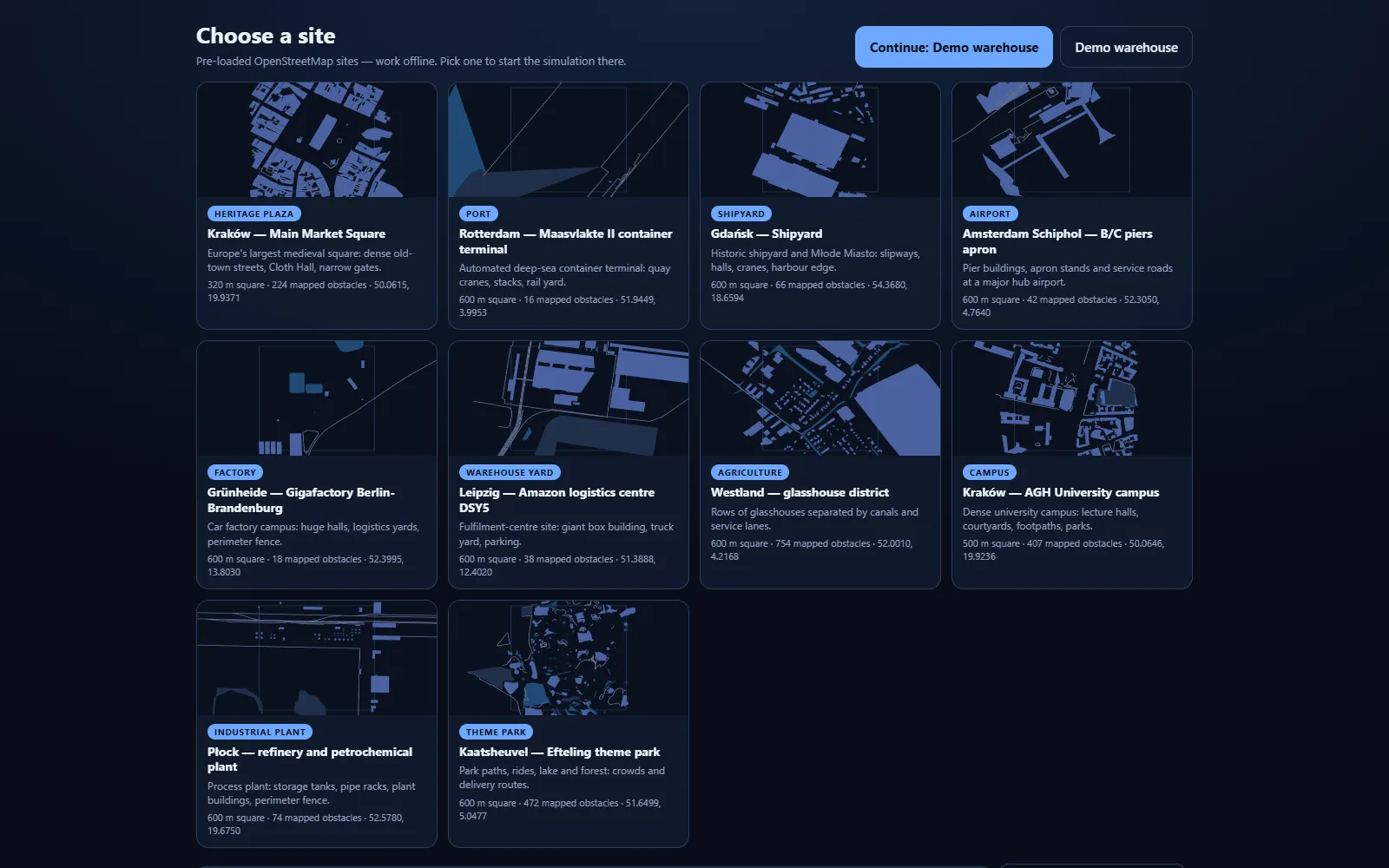
- Offline sites
- 10real places from OpenStreetMap
What the operator sees
These are screenshots of the running build, not mock-ups. Twelve simulated robots and two Robot Agents (the same program that runs on the Jetson) are on Kraków’s Main Market Square.
One tap sends all fourteen robots. Each gets its own path around the Cloth Hall (the thin lines), they pass one another without touching, and they close up into a V around the two Jetson-driven robots. At the end JETSON-1 is selected and its status panel opens.
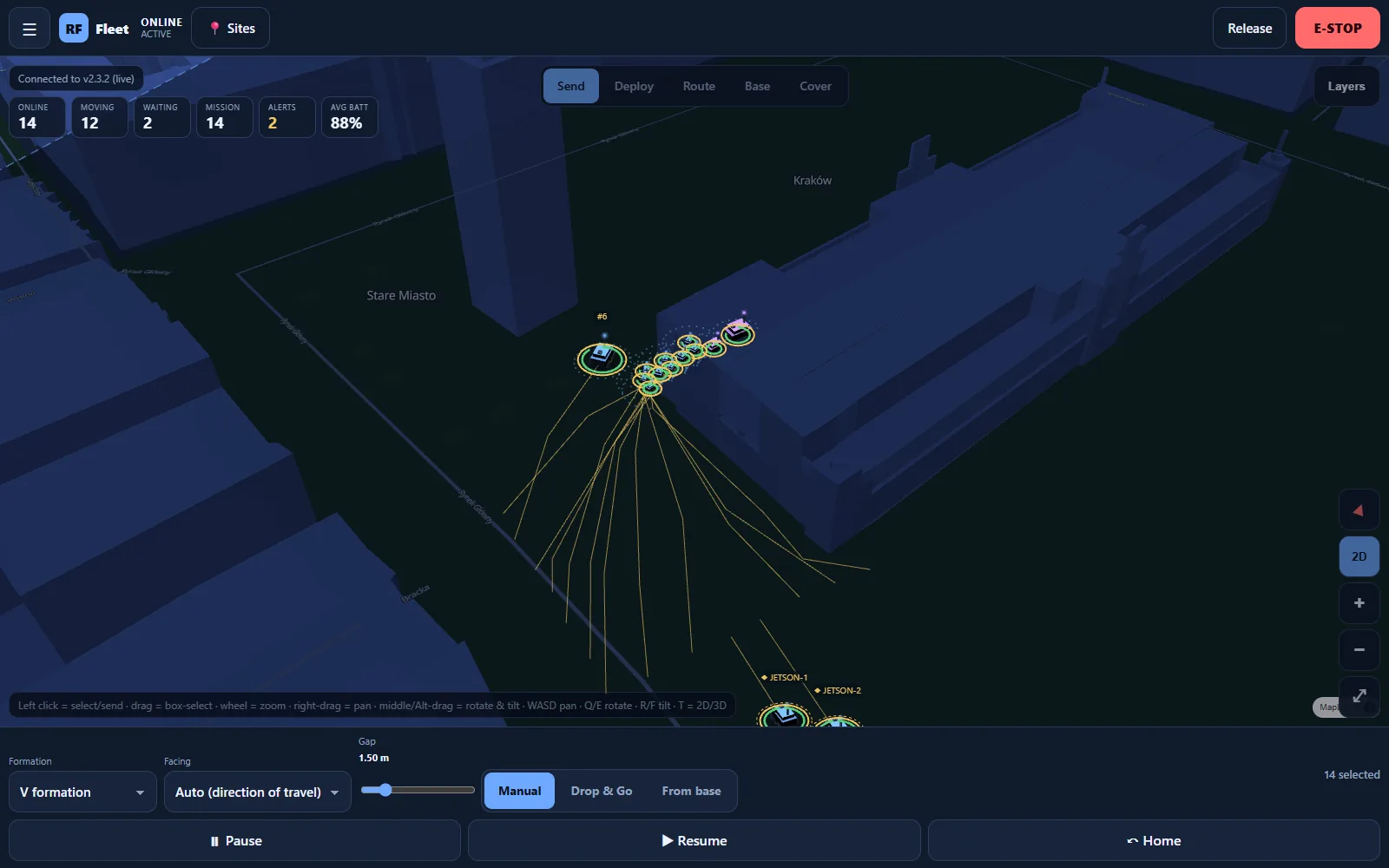
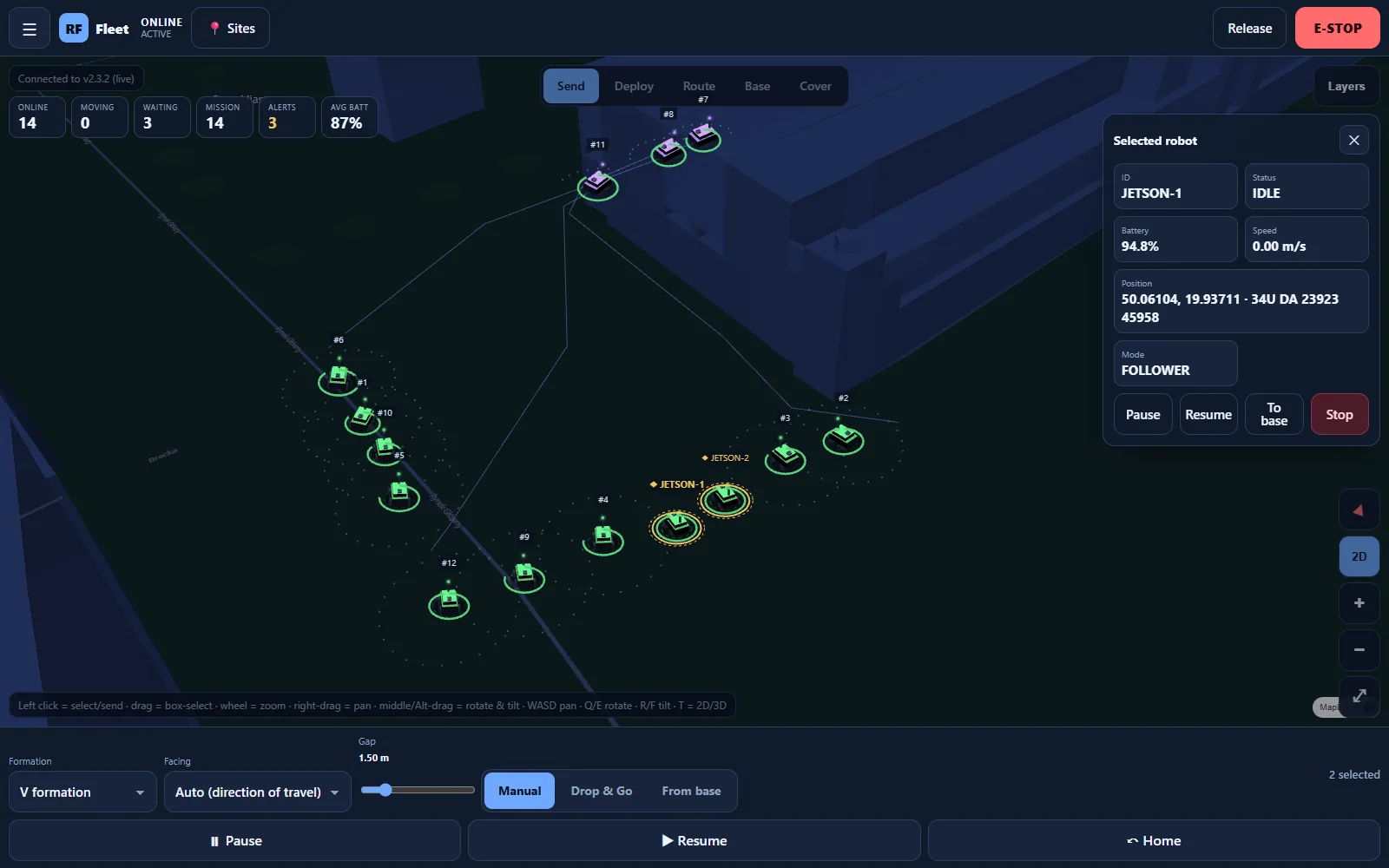
Fleet status and a big red E-STOP that stops every robot. Releasing it is a separate, deliberate action.
Send a group, Deploy robots, draw a Route through waypoints, set up a Base with docks and traffic rules, or Cover an area with an even grid of robots.
Draw no-go and slow zones on the map. Robots plan around the first and slow down in the second.
Big tap targets and no hover, because in the field this runs on a tablet, not a desk.
From a tap on the map to turning wheels
The server holds the world
One Python program on a PC or a small box on the shelf. It loads a site, turns buildings and fences into an obstacle grid, and keeps the state of every robot. The operator panel is served from the same program, so any browser on the network can open it.
No cloud · no database · no packages to installA robot registers
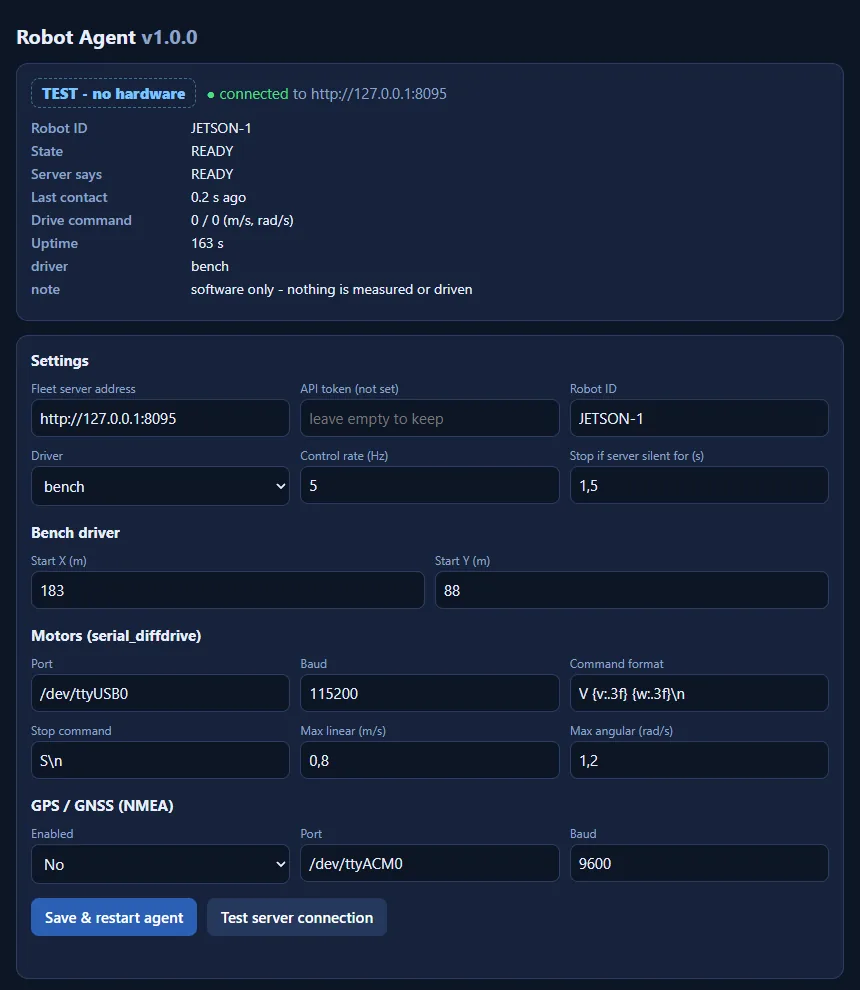
When the Robot Agent on a Jetson starts, it tells the server its name and position. From then on it appears on the map with a ◆ marker: TEST when it runs without hardware, LIVE when a real motor driver is active.
The operator sends a goal
A tap on the map, a route or a formation. The server plans a path around obstacles, no-go zones and the other robots, and keeps re-planning as things move.
The robot asks for its next waypoint
Five times a second the agent sends its position, battery and GPS fix, and gets back the next point to drive to plus a recommended speed. The server never steers wheels directly: it hands out destinations and limits.
The robot keeps itself safe
If the server goes silent for 1.5 seconds, the agent stops the robot by itself. Stop, pause, lost GPS fix or no goal also mean stop. The agent never clears an emergency stop on its own.
What the Jetson does on each robot
The Jetson Nano is the robot’s own computer. It does not plan the fleet; it is the link between the fleet server and the robot’s motors and sensors. It runs the Robot Agent as a system service that starts with the Jetson and restarts itself if it crashes.
The agent is written for the software the Nano ships with (Ubuntu 18.04 and Python 3.6) and needs nothing else installed. One command installs it, checks the server and puts a Robot Agent icon on the desktop.
Registers with the server, sends position, speed, battery and GPS status five times a second, and receives the next waypoint and speed limit.
Turns the waypoint into a forward speed and a turn rate and sends them over a serial cable to the motor controller, clipped to the configured limits.
Reads a GNSS receiver (standard NMEA), including RTK fixes accurate to centimetres, and reports how good the fix is. With no valid fix the server keeps the robot stopped.
Local stop when the network drops, on any driver error and on every stop command. When the server returns, the agent reconnects by itself.
What is tested, and what is not yet
The fleet server, the operator panel and the ten offline sites. A Jetson Nano on my desk, on battery and on the local network, connected to the server over the network and showed up in the panel as a robot, running an earlier, simpler version of the agent. The current agent (v1.0) passes its 29 automated tests and drives robots in software, as in the screenshots above; it still has to be installed and checked on the Jetson itself.
No motors or GPS receiver are connected yet, so the serial motor driver and the GPS reading are untested on hardware. The next steps are a motor controller and an RTK receiver, first runs with the wheels off the ground, and an independent hardware emergency stop that cuts motor power whatever the software is doing.
Not a safety system
This software can stop a robot and reports when it has, but it is not a functional-safety system. A real robot needs a physical emergency stop that cuts motor power on its own. The robotics page explains the rules I build to, and the project card has the short version.